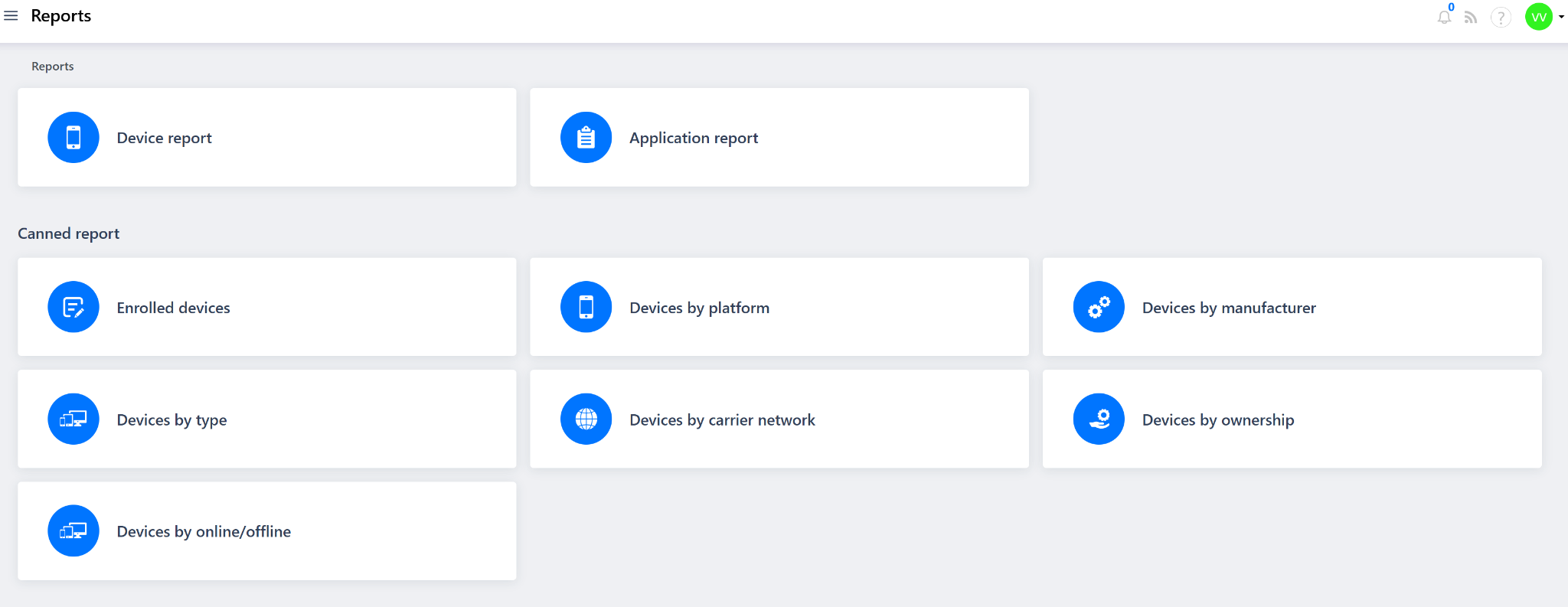
The Reports module in the Quantem Console provides admins with a centralized view of device and application data across the organization's managed fleet. Reports help admins monitor device health, track enrollment status, analyze device distribution by platform, manufacturer, type, ownership, and connectivity — enabling data-driven decisions for device management and IT operations.
The Reports module is divided into two sections:
Reports — Custom and detailed reports for devices and applications
Canned Reports — Pre-built, ready-to-use reports for quick insights on common device metrics
How to Access
Log in to the Quantem Console
From the left-hand navigation menu, click on Reports
The Reports page will display all available report types
Section 1 – Reports
These are detailed, configurable reports that provide in-depth data on devices and applications across the managed fleet.
1. Device Report
2. Application Report
Section 2 – Canned Reports
Canned Reports are pre-built, ready-to-use reports that provide quick insights on specific device metrics — generated instantly without any custom configuration.
1. Enrolled Devices
Displays the total count and list of all devices currently enrolled in the Quantem Console. Best used for a quick overview of the total managed fleet size.
2. Devices by Platform
Breaks down enrolled devices grouped by their operating system platform (e.g., Android). Best used for understanding platform distribution across the fleet.
3. Devices by Manufacturer
Breaks down enrolled devices grouped by device manufacturer (e.g., Samsung, Lenovo, Google, Rockchip). Useful for warranty management and OEM-specific policy planning.
4. Devices by Type
Breaks down enrolled devices grouped by device type (e.g., smartphone, tablet, kiosk). Useful for planning type-specific policies or configurations.
5. Devices by Carrier Network
Breaks down enrolled devices grouped by their mobile carrier/network operator. Useful for data plan management and carrier-specific troubleshooting.
6. Devices by Ownership
Breaks down enrolled devices grouped by ownership type (e.g., Company-owned, Personal/BYOD). Important for applying ownership-specific policies and compliance checks.
7. Devices by Online/Offline
Breaks down enrolled devices by their current connectivity status — Online or Offline. Useful for quickly identifying unreachable or inactive devices in the fleet.
Was this article helpful?
That’s Great!
Thank you for your feedback
Sorry! We couldn't be helpful
Thank you for your feedback
Feedback sent
We appreciate your effort and will try to fix the article