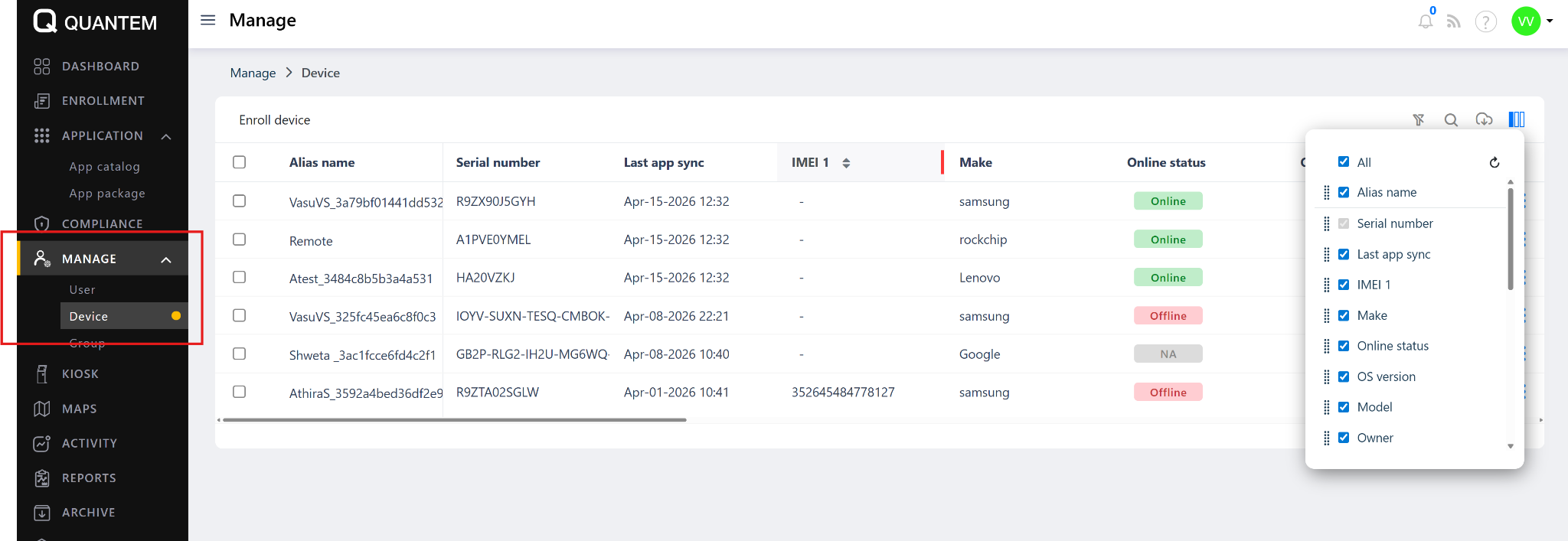
The Device section under Manage lists all enrolled devices in your organization, allowing admins to monitor device status and view key device information from a single view.
How to Access
Log in to the Quantem Console
From the left navigation, click Manage
Click on Device
All enrolled devices will be listed under Manage > Device.
Device List Fields
Online Status Indicators
Available Controls
Was this article helpful?
That’s Great!
Thank you for your feedback
Sorry! We couldn't be helpful
Thank you for your feedback
Feedback sent
We appreciate your effort and will try to fix the article