The Geo Location feature in the Quantem Console allows admins to track and view the real-time location and historical location data of enrolled devices. The device's location is captured and updated based on the Global Sync Time — ranging from every 2 minutes up to 1 hour. The location is displayed on an interactive map within the console and logged as a timestamped coordinate history, giving admins a complete trail of where the device has been.
Note: Location tracking frequency is directly governed by the Global Sync Time setting. A shorter sync interval (e.g., 2 minutes) provides near real-time updates but consumes more device battery.
How to Access
Log in to the Quantem Console
From the left navigation, click Manage
Click on Device
Select the device whose location you want to view
On the left-side menu, click on Geo Location
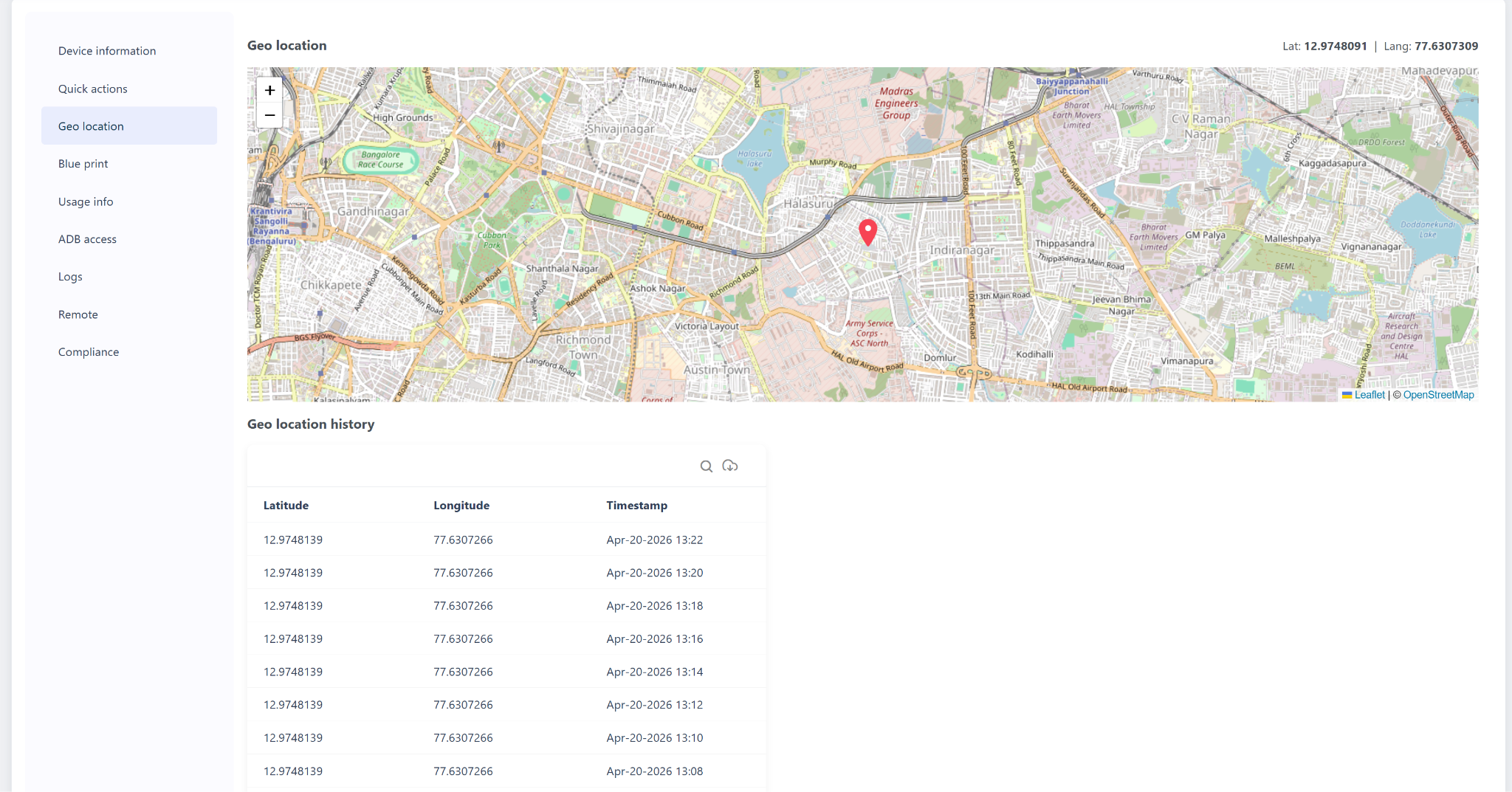
The Geo Location page will display:
Live map with the device's current pinned location
Current coordinates (Lat / Long) in the top-right corner
Geo Location History table below the map
Using Coordinates in External Map Applications
Copy the Latitude and Longitude values from the history table and use them in any mapping application for a precise street-level pinpoint:
Was this article helpful?
That’s Great!
Thank you for your feedback
Sorry! We couldn't be helpful
Thank you for your feedback
Feedback sent
We appreciate your effort and will try to fix the article