This article explains how to integrate Okta with the Quantem Console. Quantem's integration with Okta simplifies device enrollment securely through Okta authentication and the Android Enterprise program. Once integrated, the user and group data from your organization's Okta account will be automatically synced to Quantem, enabling automatic creation of user accounts in the console.
Part A – Create an API Token in Okta
Before configuring Okta in the Quantem Console, you must first generate an API token from your Okta account.
1. Log in to your Okta Account
Sign in to your Okta portal using your administrator credentials.
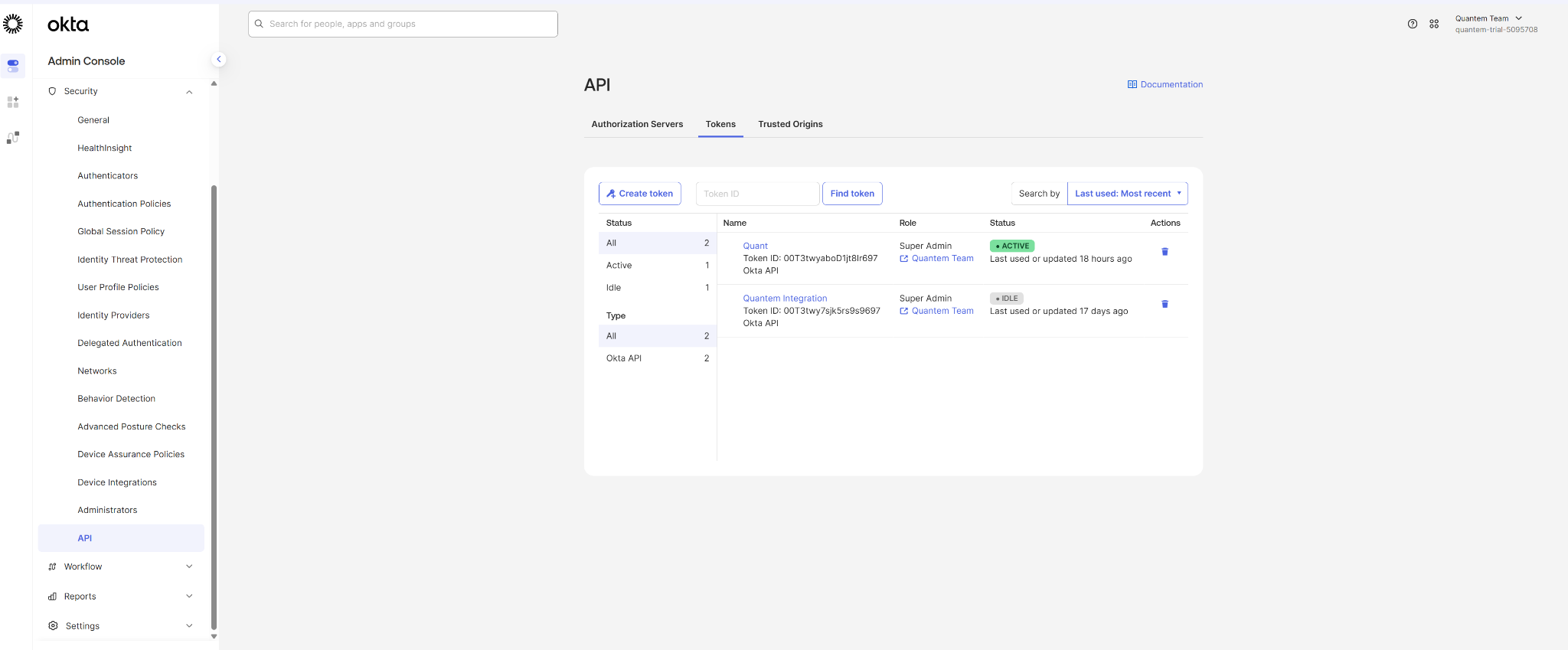
2. Navigate to API Tokens
Go to Security > API > Tokens.
3. Create a New Token
Click on Create Token.
4. Enter a Token Name
Enter a meaningful name for the token (e.g., Quantem-Integration-Token) and click Create Token.
5. Copy and Save the Token
Once the token is generated, copy and save it in a secure place immediately.
Note: The token will only be shown once. If you lose it, you will need to generate a new token.
Part B – Configure Okta in the Quantem Console
Once the API token is ready, follow the steps below to configure Okta in Quantem.
1. Log in to the Quantem Console
Navigate to the Quantem Console URL and sign in using your administrator credentials.
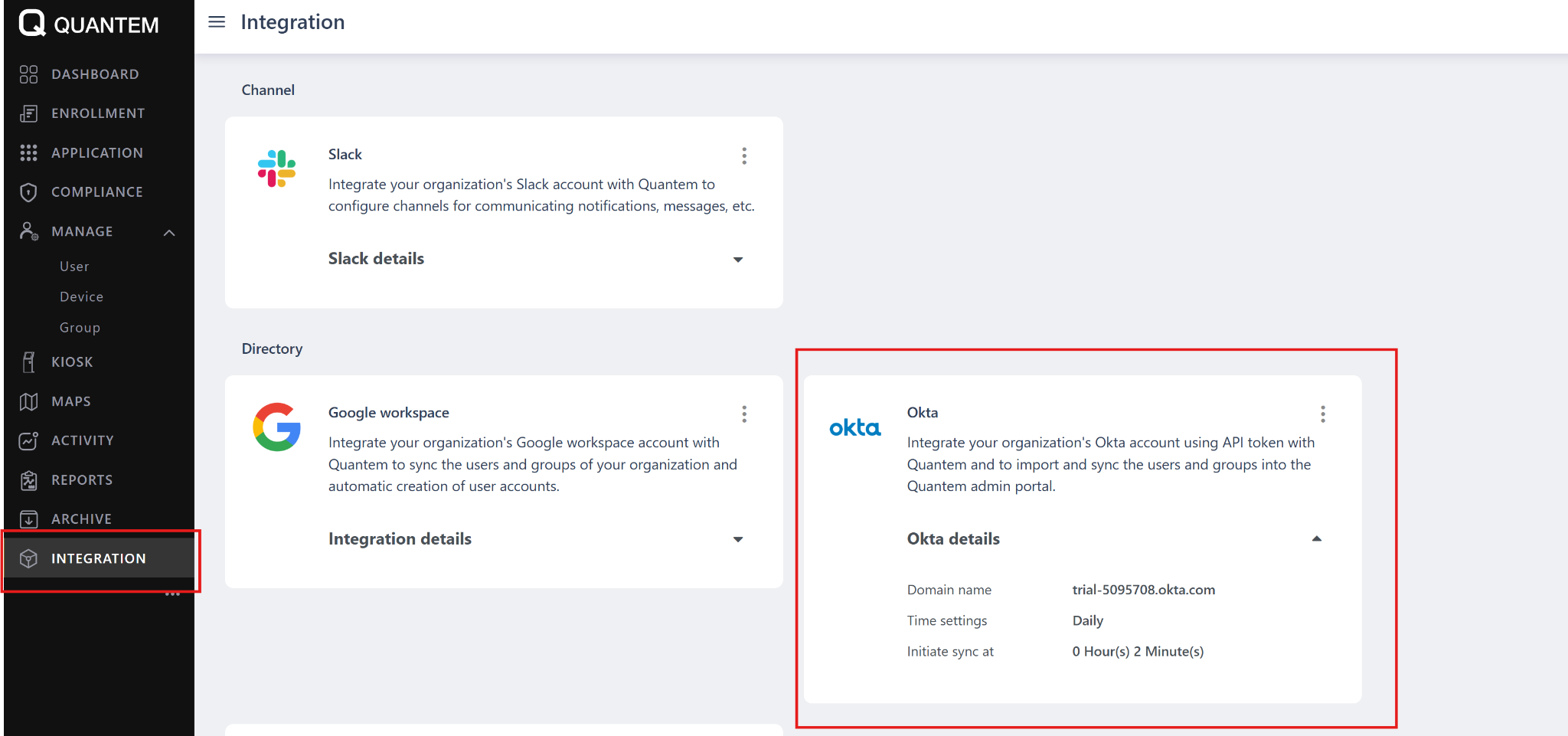
2. Navigate to Okta Integration
Go to Integrations > Okta > Add and Configure.
3. Enter Okta Domain and Token
Enter your Okta Domain Name
Paste the API Token generated in Part A
4. Configure Sync Settings
Choose how often you want Okta to sync with Quantem:
Select the Sync Time (time of day for sync to occur)
Select the Sync Frequency:
Daily
Weekly
5. Enable Remove User Sync (Optional)
Check the Remove User checkbox if you want Quantem to automatically sync and remove users that have been deleted from Okta.
6. Save the Configuration
Click Save to complete the integration setup.
Once the integration is successfully configured:
Users and user groups from your Okta account will be automatically imported into the Quantem Console
User accounts will be automatically created in Quantem based on the Okta directory
Ongoing sync will keep Quantem updated with any changes made in Okta (based on the configured sync frequency)
If the Remove User option is enabled, deleted Okta users will also be removed from the Quantem Console during the next sync
Was this article helpful?
That’s Great!
Thank you for your feedback
Sorry! We couldn't be helpful
Thank you for your feedback
Feedback sent
We appreciate your effort and will try to fix the article