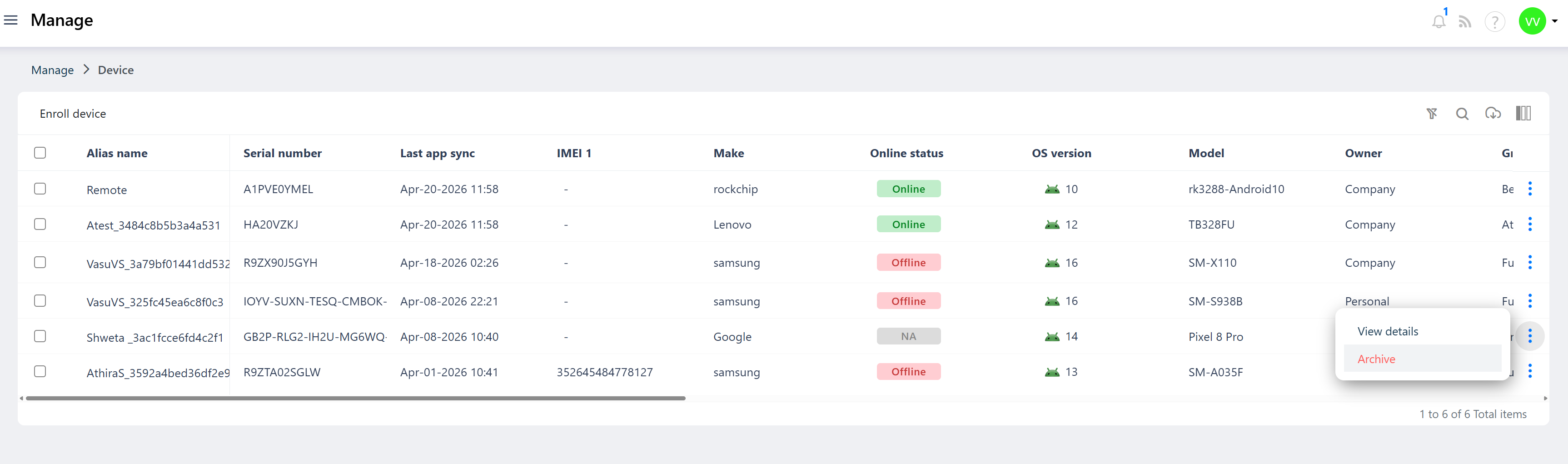
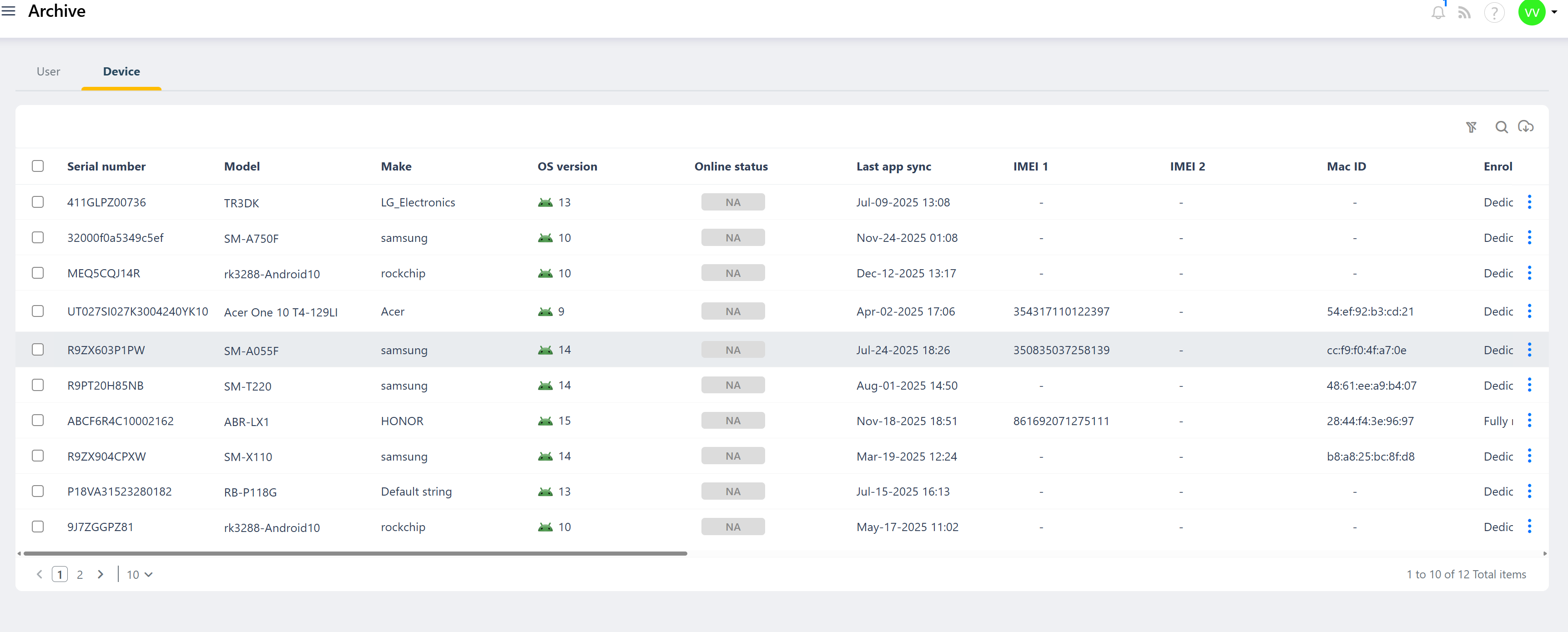
Device Decommissioning in the Quantem Console refers to the process of permanently wiping a managed device, removing the Quantem MDM agent from it, and archiving its details for future reference. When a Wipe Device command is issued from the Quantem Console, the device undergoes a full factory reset, all organizational data and the Quantem agent are removed from the device, and the device record is automatically moved from Manage > Device to the Archive section of the console.
The Archive serves as a historical repository of all decommissioned devices. Admins can still view the device's past details, enrollment history, and activity from the Archive even after the device has been wiped. Additionally, if the same device is re-enrolled into Quantem at a later point, the console intelligently retrieves the previous device ID and alias name from the Archive — preserving device identity continuity — as long as the Archive record has not been manually deleted.
How to Decommission a Device (Wipe)
Option 1 – Via Quick Actions (Single Device)
Log in to the Quantem Console
Navigate to Manage > Device
Click on the device you want to decommission
In the device detail page, click Quick Actions from the left-side menu
Click Wipe Device
A confirmation prompt will appear warning that this action cannot be reversed
Confirm the action — the wipe command will be sent to the device immediately
Option 2 – Via Bulk Actions (Multiple Devices)
Log in to the Quantem Console
Navigate to Manage > Device
Select one or more devices using the checkboxes
Click the Actions dropdown at the top
Select Wipe from the list
Confirm the action — the wipe command will be sent to all selected devices simultaneously
How to Access the Archive
Log in to the Quantem Console
From the left-hand navigation menu, click on Archive
All decommissioned device records will be listed here
Was this article helpful?
That’s Great!
Thank you for your feedback
Sorry! We couldn't be helpful
Thank you for your feedback
Feedback sent
We appreciate your effort and will try to fix the article