App Auto-Update Configuration

Created by Vasu VS, Modified on Mon, 20 Apr at 12:08 PM by Vasu VS

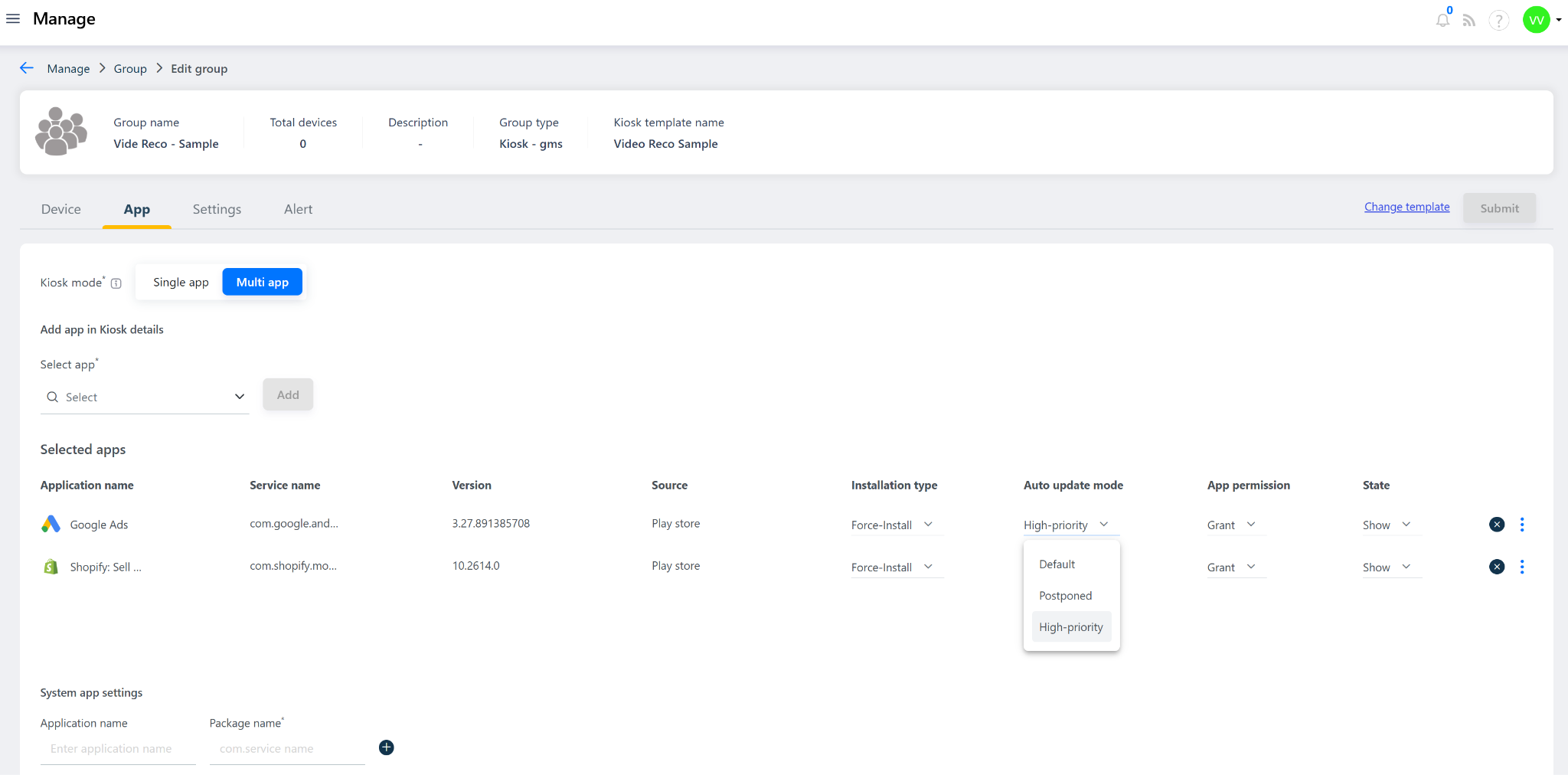
App Auto-Update Configuration in the Quantem Console allows admins to control how frequently and with what priority managed apps on enrolled devices are updated when a new version becomes available on the Google Play Store. The Quantem Console periodically syncs with Google servers to check for available updates. Based on the Auto-Update Mode configured, the update is either installed immediately, postponed, or left to follow Google's default update behavior.

Note: This feature applies to Google Play Store apps only. For Enterprise (in-house) APK apps, refer to the App Version Control article.


Auto-Update Mode Options

There are three Auto-Update Mode options available:

1. High Priority

Field

Details

Behavior

As soon as an update is available and the console syncs with Google, the update is immediately and automatically installed on the device

User Action Required

None — silently installed

Best Used For

Security apps, compliance tools, or critical business apps where the latest version must always be running


2. Postponed

Field

Details

Behavior

The update is delayed for a set number of days even if available on the Play Store. Once the postpone period expires, the update is automatically installed

User Action Required

None — auto-installs after postpone period

Best Used For

Apps requiring testing and validation before broad rollout across all managed devices


3. Default

Field

Details

Behavior

Follows Google's default update behavior — the app updates when the user manually initiates it or after Google's automatic update schedule triggers

User Action Required

Optional — user can manually update or wait for Google's schedule

Best Used For

Non-critical or general-purpose apps where update timing is flexible


Auto-Update Mode Comparison

Mode

Update Timing

User Action

Recommended For

High Priority

Immediately upon availability

None

Critical / security-sensitive apps

Postponed

Delayed by set number of days

None — auto after delay

Apps needing validation before rollout

Default

Google's schedule or manual

Optional

Non-critical / general apps


Was this article helpful?

That’s Great!

Thank you for your feedback

Sorry! We couldn't be helpful

Thank you for your feedback

Let us know how can we improve this article!

Select at least one of the reasons
CAPTCHA verification is required.

Feedback sent

We appreciate your effort and will try to fix the article