The Password Policy feature allows administrators to define and enforce password standards for devices enrolled in Kiosk mode. This helps ensure device security and compliance within controlled kiosk environments.
Accessing the Policy Settings
Log in to the admin console using your administrator credentials.
Click on Kiosk from the left navigation menu.
Either select an existing kiosk configuration or create a new kiosk as needed.
Configuring Password Settings
After adding the required apps to the kiosk, click on the Settings option at the top of the screen.
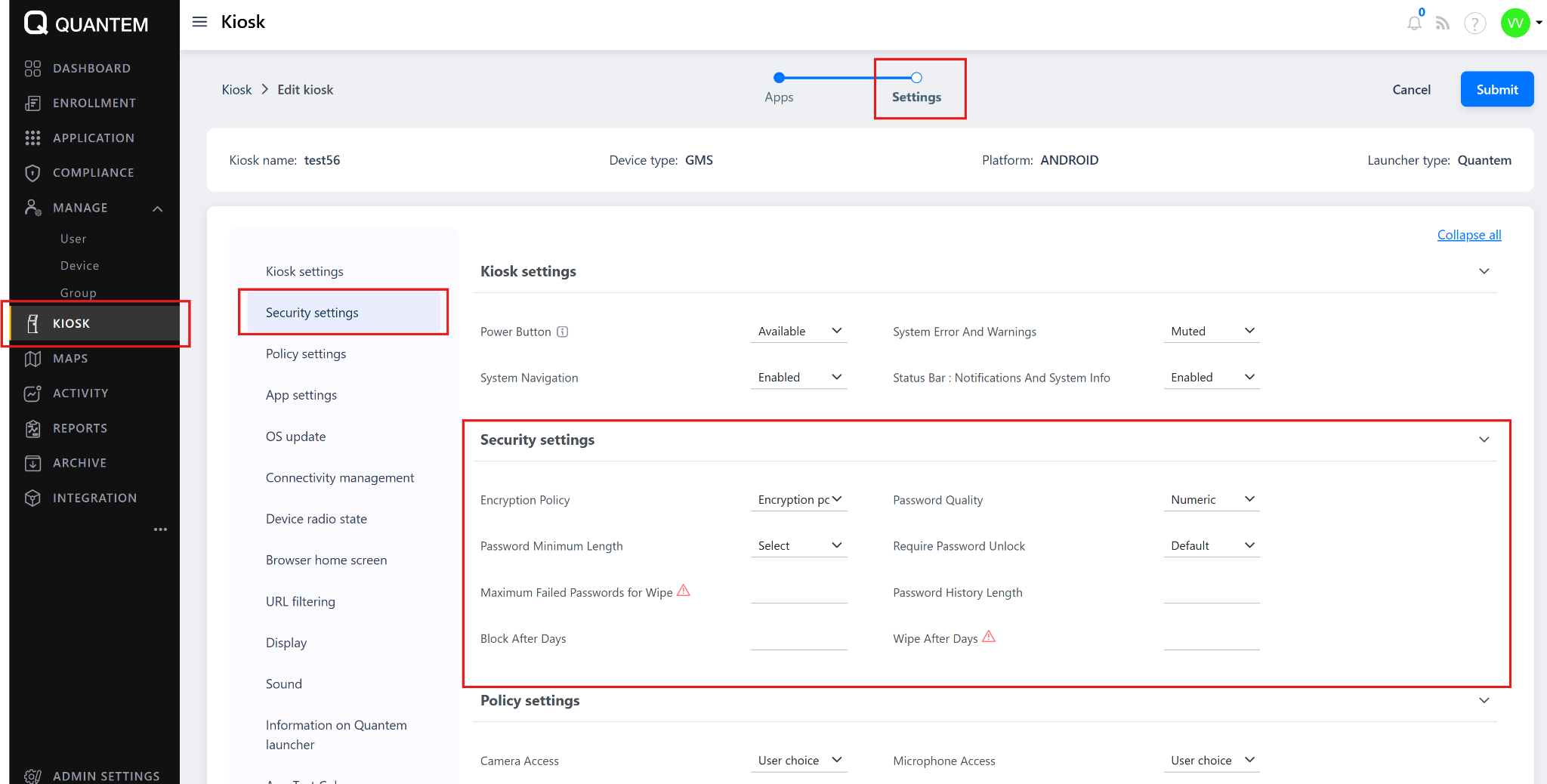
The Kiosk Policy Settings screen opens up, where you can configure advanced options such as security, display, and password policies.
Within the Kiosk Policy Settings, navigate to the Security Policy section.
Under Device Password Policy, select the desired password type from the dropdown menu:
Something
Numeric
Alphabetic
Alphanumeric
After selecting the password type, configure the following parameters as per your organization’s security requirements:
Password Quality – Defines password complexity requirements.
Password Minimum Length – Sets the least number of characters required.
Require Password to Unlock – Forces devices to use a password to unlock the kiosk.
Default Allowed – Specifies whether password enforcement is mandatory by default.
Maximum Failed Passwords for Wipe – Sets the number of failed attempts before the device is wiped.
Password History Length – Prevents reuse of previous passwords.
Block After Days / Wipe After Days – Triggers automatic block or wipe actions if compliance isn’t maintained.
Once configurations are complete, click Save to apply the password policy to the kiosk.
Applying the Password Policy
Once saved, the password policy becomes active under the selected kiosk configuration.
Any devices enrolled under this kiosk will automatically inherit and enforce the defined password rules during the next sync session.
Was this article helpful?
That’s Great!
Thank you for your feedback
Sorry! We couldn't be helpful
Thank you for your feedback
Feedback sent
We appreciate your effort and will try to fix the article